820-02443 A2442 Water Damage Data Recovery – R5275, CR853 and Touchpad Short Repair
Fault Description
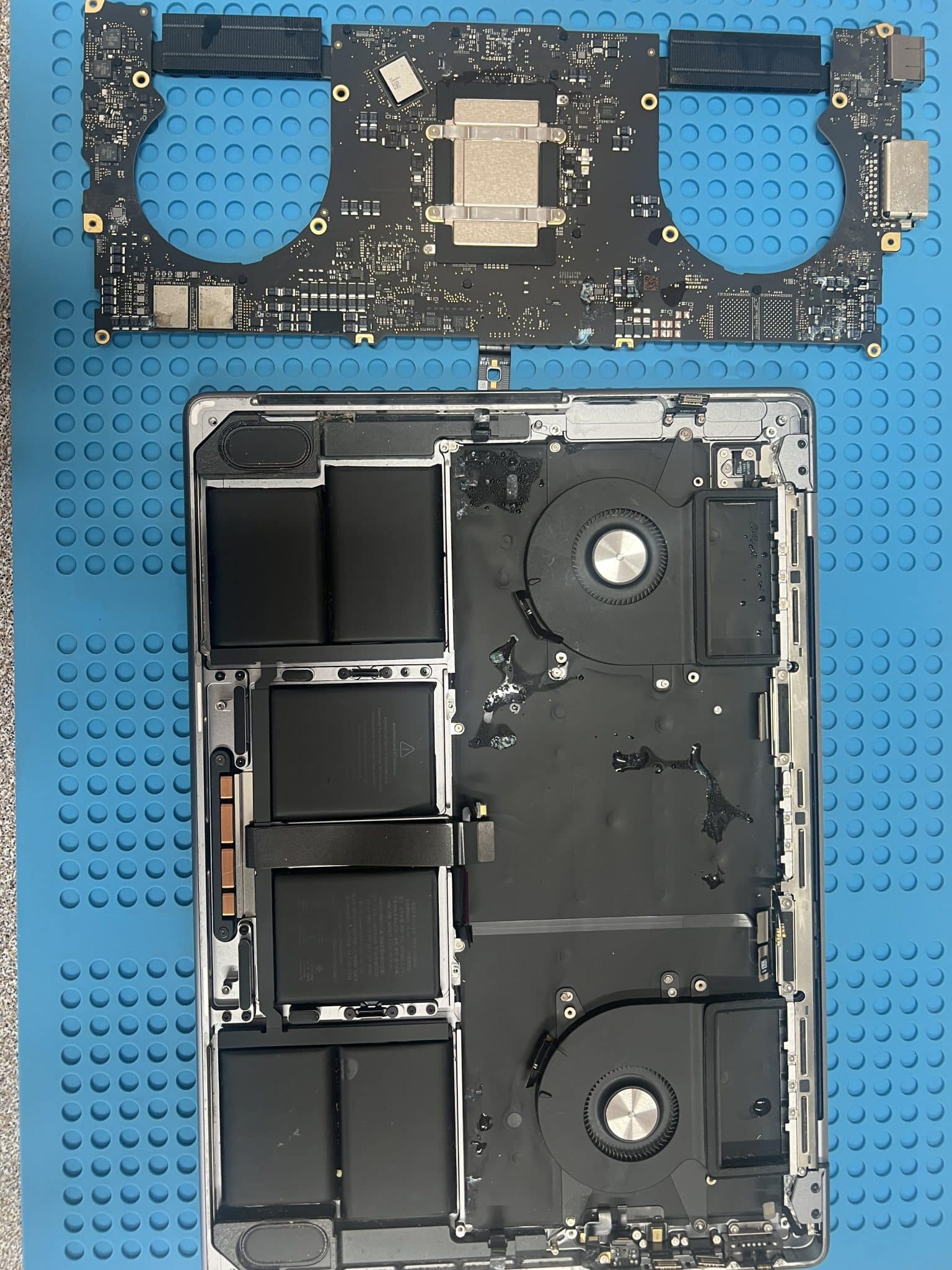
This 14-inch MacBook Pro M1 2021, model A2442, logic board 820-02443, came from the regional VIC / Castlemaine–Mount Alexander 3451 area after being dropped into a bathtub.
The customer’s main goal was data recovery. If the MacBook could also be repaired at a reasonable cost, they were interested in fixing the machine as well. The customer found us through xAI search, checked our Google reviews, then drove around three hours to our shop.
Initial condition:
Dropped into bathtub
Water damage
No power
Data recovery required
Fix the Mac if the repair cost is not too high
We did not perform a normal USB-C power-on test at the start. The board had severe liquid exposure, so powering it on before cleaning was too risky.
Case Summary
| Item | Details |
|---|---|
| Device | 14-inch MacBook Pro M1 2021 |
| Model | A2442 |
| Logic board | 820-02443 |
| Customer area | Regional VIC / 3451 Castlemaine–Mount Alexander area |
| Fault | Dropped into bathtub, water damage, no power |
| Customer priority | Data recovery first, repair if cost acceptable |
| Initial USB-C test | Not performed, too risky |
| First step | Ultrasonic cleaning |
| Initial rebuild | 19 corroded resistors and capacitors replaced |
| First USB-C reading after cleaning | 5V / 0A |
| PPDCIN_AON | 5V OK |
| PPBUS_AON | 1.2V, not OK |
| U5200 P_IN | 5V OK |
| PPCHGR_VDDP | 5V OK |
| PPCHGR_VDDA | 0V, not OK |
| Faulty part | R5275 open |
| After R5275 replacement | PPBUS_AON = 12.3V |
| Next issue | PPBUS_AON jumped from 12.3V to 7V |
| Thermal clue | CR853 hot |
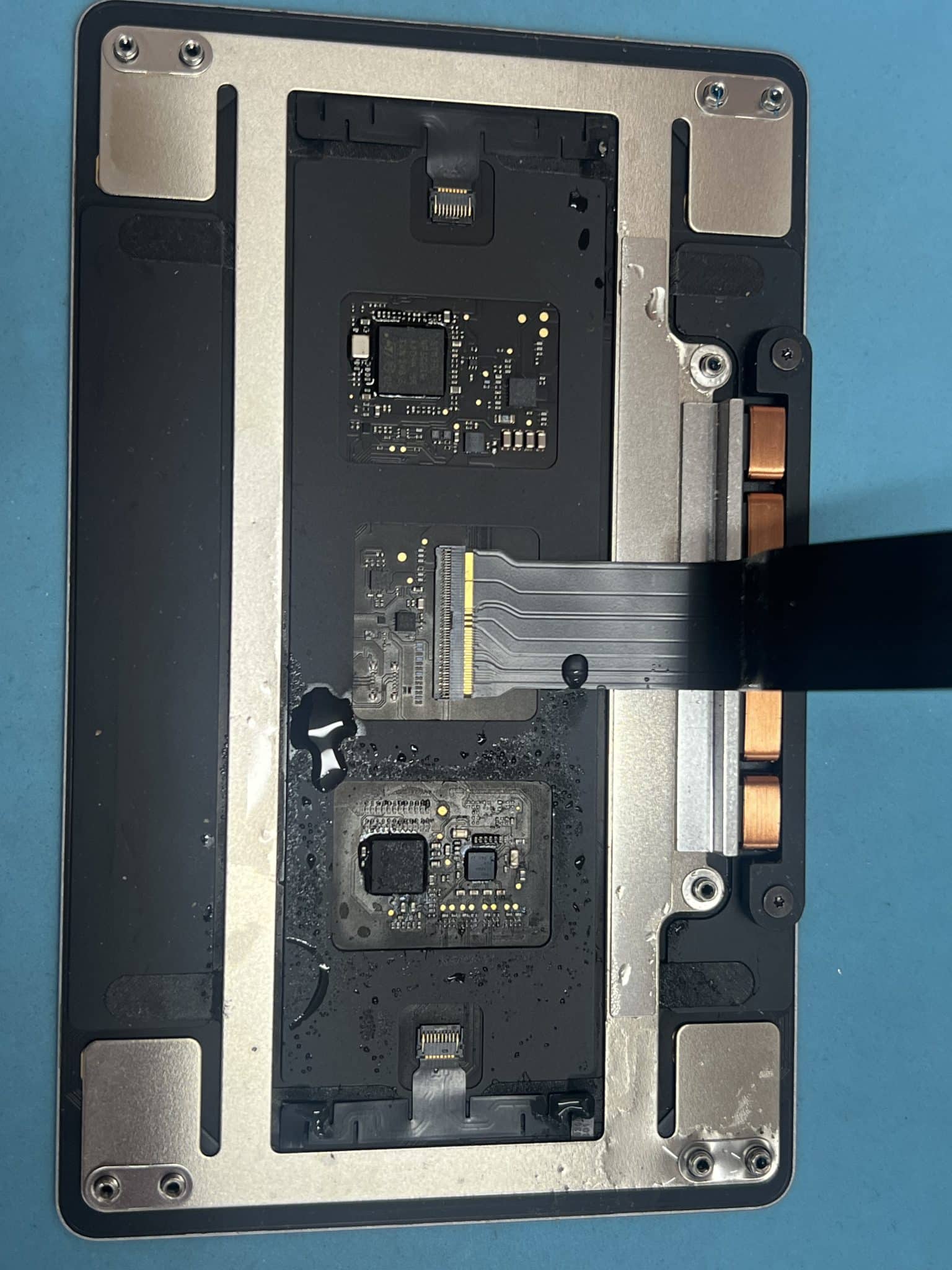
| Touchpad issue | Touchpad shorted PPBUS_AON to 0V |
| Battery issue | Battery not detected due to RD154 fault |
| Audio issue | No right-side sound, UR700 / UR730 / UR760 replaced |
| Data result | Time Machine backup completed |
| Final bill | Board repaired + touchpad replaced |
Why We Did Not Power It On First
This MacBook had been submerged in water. In this condition, a normal USB-C power test can make the damage worse.
Powering on a severely wet or corroded board can:
- burn already weakened components;
- carbonise corrosion residue;
- damage charging rails;
- damage NAND / SSD power rails;
- make data recovery harder;
- turn a repairable board into a non-repairable board.
The correct first step was:
Open the MacBook
Remove the board
Inspect both sides
Ultrasonic clean
Dry properly
Check major rails before normal power-on
Only after cleaning and replacing the first set of corroded parts did we attempt a controlled USB-C test.
Initial Cleaning and Rebuild
After ultrasonic cleaning, the board was examined under the microscope. We replaced:
19 corroded resistors and capacitorsAfter that, USB-C showed:
5V / 0AThis meant the board was not drawing normal startup current. We then checked the main charging path.
Measurements:
PPDCIN_AON = 5V OK
PPBUS_AON = 1.2V NOT OKU5200 Charging Circuit Logic
At this stage, it would be tempting to replace U5200 / ISL9240 because PPBUS_AON was wrong and corrosion was around the charger area.
But replacing all visible corroded parts does not always fix the real fault. Also, replacing U5200 blindly would not be good practice.
The better method is to check whether U5200 has the conditions it needs to work.
Measurements:
U5200 P_IN = 5V OK
PPCHGR_VDDP = 5V OK
PPCHGR_VDDA = 0V NOT OK
This was the key clue.
U5200 needs its own supply rails before it can operate correctly. If PPCHGR_VDDA is missing, U5200 may not be able to regulate PPBUS_AON properly even if the chip itself is not faulty.
We then checked the VDDA feed path and found:
R5275 openAfter replacing R5275, PPBUS_AON returned:
PPBUS_AON = 12.3VThis proved that U5200 was not the first part to replace. The fault was an open resistor feeding one of the charger IC’s required supply rails.
Key point
If we replaced U5200 without checking P_IN, VDDP and VDDA first, the fault would still be there.Logical measurement was the key.
PPBUS_AON Still Unstable – CR853 Fault
After replacing R5275, PPBUS_AON returned to 12.3V, but the USB-C reading was still not normal:
USB-C = 5V / 0A
PPBUS_AON jumps from 12.3V to 7V
A rail that jumps or collapses under attempted startup usually means there is another fault loading or disturbing the rail.
Thermal camera testing showed:
CR853 hotAfter replacing CR853, the board started booting.

Touchpad Short Pulling Down PPBUS_AON
The next fault appeared when the touchpad was connected.
With touchpad connected:
PPBUS_AON = 0VWith touchpad removed:
PPBUS_AON = 12.0VThat confirmed the touchpad assembly was shorting the PPBUS_AON path. The 820-02443 schematic includes the trackpad connector section and shows PPBUS_AON associated with that area, which matches this symptom.
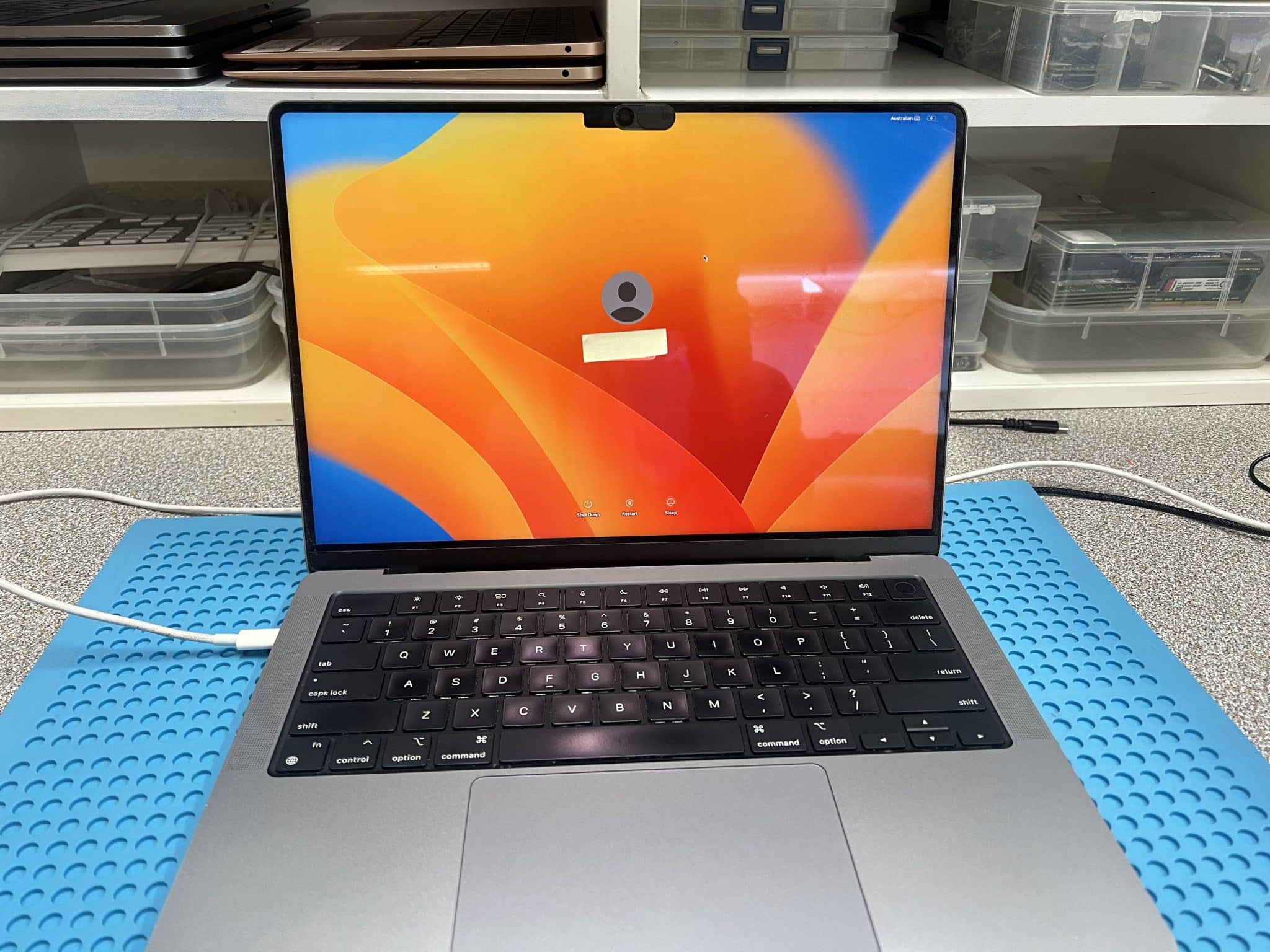
The touchpad was replaced. After that, the board booted into macOS and we completed the customer’s Time Machine backup.
At this point, the first goal was achieved:
Data saved
Battery Not Detected – RD154 Fault
After data recovery, we continued the functional repair.
The MacBook did not detect the battery. A known-good battery gave the same result, so the battery itself was not the cause.
Battery SMBus diode-mode readings:
J5151 pin 2 / SMBUS_BATT_SCL = 0.589
J5151 pin 3 / SMBUS_BATT_SDA = 0.709
These two communication lines should usually read very close to each other because they are a matched I2C / SMBus pair with similar pull-up and protection paths.
Further checks:
RD153 = 0Ω OK
RD154 > 1kΩ NOT OK
After replacing RD154, the battery was detected and charged normally.
Charging circuit explanation
The charger IC and system do not simply “push power into the battery”. The MacBook has to communicate with the battery pack through SMBus lines. The battery reports status such as presence, voltage, temperature and charge information. If one SMBus line is open or has abnormal resistance, the Mac may not detect the battery even if the main charging voltage is present.
In this case, the charging power path was already repaired, but the battery communication path still had an open / high-resistance component. Replacing RD154 restored battery communication.
Right-Side Sound Fault – UR700 / UR730 / UR760
After the main power and battery faults were fixed, the remaining issue was:
No sound output on the right sideWe replaced:
UR700
UR730
UR760
The 820-02443 schematic lists UR700, UR730 and UR760 in the audio amplifier section as speaker amplifier ICs, matching this right-side sound repair.
This section is prone to water damage because it is close to the vent / opening area and has active power rails nearby. Liquid can enter through the vent area and sit around the audio amplifier components. Even if the MacBook later dries, corrosion under or around these small BGA / WLCSP audio ICs can cause one channel to fail.
After replacing the affected audio ICs, the right-side sound worked again.
Screen Condition and Liquid-Spill Lesson
Even though this MacBook was submerged in water, there were no visible water marks in the screen film layers.
This is not always the case.
From our experience, MacBooks damaged by a leaking bottle inside a bag are often worse for the screen. The shaking and movement inside the bag can force liquid into the display film layers. More than 90% of those cases can show screen water marks.
Lesson:
Do not shake the MacBook after a liquid spill.Turn it off, keep it still, and get it assessed quickly. A new screen can cost a large portion of the MacBook’s value.
Repair Timeline
| Step | Result |
|---|---|
| Customer reported bathtub water damage and no power | Confirmed |
| Initial USB-C test | Skipped, too risky |
| First action | Ultrasonic cleaning |
| Corrosion rebuild | 19 corroded resistors and capacitors replaced |
| USB-C after cleaning | 5V / 0A |
| PPDCIN_AON | 5V OK |
| PPBUS_AON | 1.2V not OK |
| Checked U5200 P_IN | 5V OK |
| Checked PPCHGR_VDDP | 5V OK |
| Checked PPCHGR_VDDA | 0V not OK |
| Found R5275 | Open |
| Replaced R5275 | PPBUS_AON = 12.3V |
| PPBUS still unstable | Jumped 12.3V to 7V |
| Thermal camera | CR853 hot |
| Replaced CR853 | Board booted |
| Touchpad connected | PPBUS_AON = 0V |
| Touchpad removed | PPBUS_AON = 12.0V |
| Replaced touchpad | Booted into macOS |
| Time Machine backup | Completed |
| Battery not detected | Known-good battery same |
| SMBus check | SCL/SDA diode readings not close |
| RD154 | >1kΩ, faulty |
| Replaced RD154 | Battery detected and charging |
| Right-side sound | Not working |
| Replaced UR700 / UR730 / UR760 | Sound fixed |
| Final outcome | Board repaired, touchpad replaced, data saved |
Key Lesson
This case shows why logical diagnosis matters in board repair.
Replacing all visible corroded parts does not always solve the issue. Replacing U5200 blindly would also not solve the issue if its required VDDA feed was missing.
The correct process was:
Check input power
Check charger IC prerequisites
Find missing PPCHGR_VDDA
Trace it to open R5275
Restore PPBUS_AON
Continue testing remaining faults
Save the data
The final repair was not one fault. It was a chain of faults caused by water damage.
Final Fix
The final repair included:
- ultrasonic cleaning before powering on;
- replacement of 19 corroded resistors and capacitors;
- R5275 replacement to restore PPCHGR_VDDA and PPBUS_AON;
- CR853 replacement after thermal-camera diagnosis;
- touchpad replacement after it shorted PPBUS_AON;
- Time Machine backup completed;
- RD154 replacement to restore battery detection and charging;
- UR700 / UR730 / UR760 replacement to restore right-side sound.
Final outcome:
Data saved
MacBook repaired
Touchpad replaced
Battery charging
Right-side sound working
Customer can choose data recovery only or full repair with data intact
If you are interested in the deeper diagnostic side of Mac repair, we have more real logic board fault cases documented here:
Mac Logic Board Repair Case Studies
Need Board-Level Mac Repair?
We specialise in MacBook logic board repair, USB-C charging faults, water damage repair and component-level diagnostics.