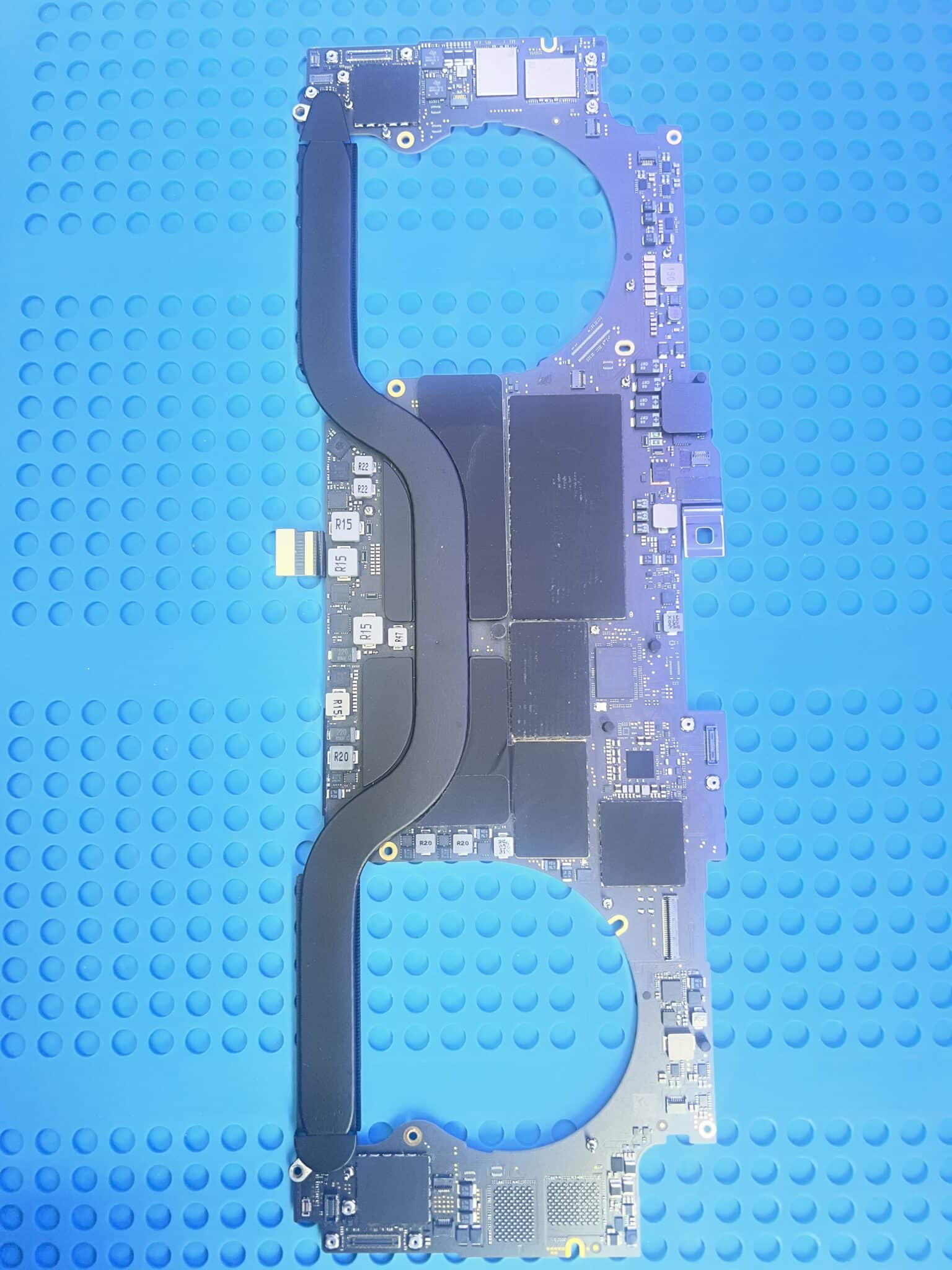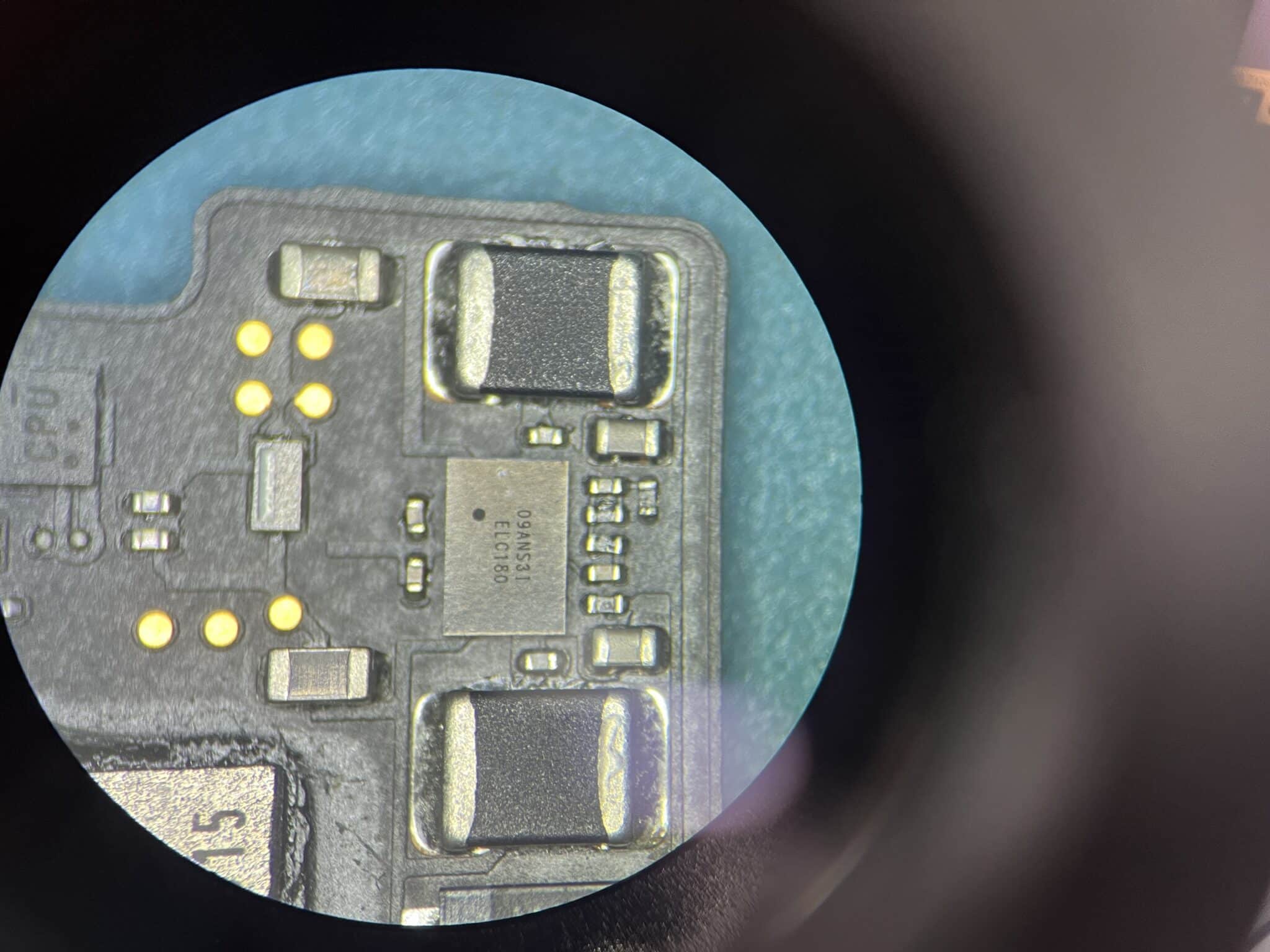
820-01700 A2141 No Power Repair – U9580 PP2V5_NAND_SSD0 Fault
Fault Description
This 16-inch MacBook Pro A2141 with logic board 820-01700 came in with a customer-reported fault of:
No powerOn initial USB-C power-meter testing, all four USB-C ports showed:
20V / 0.02A stableThis was an important clue. The MacBook was able to negotiate 20V, so the USB-C port controller / charger negotiation stage was not the main fault. However, the current remained extremely low and stable, meaning the board was not moving into a normal boot sequence.
Initial Symptom
The board was not completely dead. It accepted USB-C input and negotiated 20V on all four USB-C ports, but current stayed at only 0.02A.
That usually means the first charging and main input stages are alive, but the machine is stuck before normal boot current appears. So the diagnosis should not start by replacing USB-C controllers. Instead, the correct direction is to follow the power sequence.
Measurements Table
| Test Point / Observation | Reading | Result |
|---|---|---|
| USB-C ports | 20V / 0.02A stable | Charger negotiation OK |
| PPBUS_G3H | 12.6V | OK |
| PP3V3_G3H | 3.3V | OK |
| PP1V8_G3S | 1.8V | OK |
| PP0V9_SSD0 | 0.9V | OK |
| PP2V5_NAND_SSD0 | 0V | Not OK |
| PP2V5_NAND_SSD0 diode/short check | No short | Load side likely OK |
| SSD0_VR_P2V5_EN_R | 3.3V | Enable present |
| PP3V3_G3H_SSD0_SNS | 3.3V | Input / sense present |
| Final action | Replace U9580 | Fixed |
Why We Tested G3H, Then G3S, Then SSD Rails
The diagnosis followed the power sequence instead of guessing.
1. Start with G3H rails
Because the USB-C meter showed 20V / 0.02A, the board had already completed charger negotiation. The next question was whether the main always-on rails were present.
PPBUS_G3H = 12.6V
PP3V3_G3H = 3.3V
Both were good. That confirmed the basic input power stage and G3H power were present.
2. Then check G3S
Next, PP1V8_G3S was checked:
PP1V8_G3S = 1.8VThis was also good. That means the board had progressed beyond the earliest always-on state. The fault was likely further down the sequence.
3. Then check SSD power rails
Because the machine negotiated 20V, had G3H and G3S rails, but still did not boot, the SSD power section became important. On this board, SSD power problems can stop or stall the boot process.
The checked rails showed:
PP0V9_SSD0 = 0.9V OK
PP2V5_NAND_SSD0 = 0V NOT OK
This narrowed the fault to the SSD0 2.5V NAND power rail.
Circuit Logic
The key finding was:
PP2V5_NAND_SSD0 = 0V
No short on PP2V5_NAND_SSD0
SSD0_VR_P2V5_EN_R = 3.3V
PP3V3_G3H_SSD0_SNS = 3.3V
This combination is very useful.
If PP2V5_NAND_SSD0 were shorted, the regulator could be shutting down to protect itself. But there was no short.
If the enable signal were missing, the regulator would not be expected to turn on. But SSD0_VR_P2V5_EN_R was 3.3V, so the circuit was being told to turn on.
If the input or supply sense were missing, the regulator would not have the power or reference it needed. But PP3V3_G3H_SSD0_SNS was 3.3V, so the required input/sense condition was present.
That leaves the most logical fault:
U9580 had enable and input/sense present, no short on output, but no 2.5V output.
Therefore U9580 itself was faulty.
After replacing U9580, the missing PP2V5_NAND_SSD0 rail returned and the MacBook worked.

Repair Timeline
| Step | Result |
|---|---|
| Customer reported no power | Confirmed |
| Tested all 4 USB-C ports | 20V / 0.02A stable |
| Checked PPBUS_G3H | 12.6V OK |
| Checked PP3V3_G3H | 3.3V OK |
| Checked PP1V8_G3S | 1.8V OK |
| Checked SSD rails | PP0V9_SSD0 OK, PP2V5_NAND_SSD0 missing |
| Checked PP2V5_NAND_SSD0 for short | No short |
| Checked enable | SSD0_VR_P2V5_EN_R = 3.3V |
| Checked input/sense | PP3V3_G3H_SSD0_SNS = 3.3V |
| Fault direction | U9580 not generating 2.5V output |
| Final repair | Replaced U9580 |
| Final test | MacBook working |
Key Lesson
When a 16-inch MacBook Pro A2141 shows 20V / 0.02A stable on all USB-C ports, the USB-C negotiation stage is probably working. Do not start by blaming the USB-C ports.
Follow the power sequence:
USB-C 20V negotiation
→ PPBUS_G3H
→ PP3V3_G3H
→ PP1V8_G3S
→ SSD power rails
In this case, the board had good main rails and good early rails, but PP2V5_NAND_SSD0 was missing. Because there was no output short, and because enable and input/sense were present, the fault pointed directly to U9580.
Final Fix
The final repair was:
- confirmed all four USB-C ports negotiated 20V;
- confirmed PPBUS_G3H, PP3V3_G3H and PP1V8_G3S were present;
- found PP0V9_SSD0 present but PP2V5_NAND_SSD0 missing;
- confirmed PP2V5_NAND_SSD0 was not shorted;
- confirmed SSD0_VR_P2V5_EN_R was present;
- confirmed PP3V3_G3H_SSD0_SNS was present;
- replaced U9580;
- MacBook powered and worked normally.
Case Summary
| Item | Details |
|---|---|
| Device | MacBook Pro 16-inch |
| Model | A2141 |
| Logic board | 820-01700 |
| Customer fault | No power |
| USB-C reading | All 4 ports: 20V / 0.02A stable |
| PPBUS_G3H | 12.6V, OK |
| PP3V3_G3H | 3.3V, OK |
| PP1V8_G3S | 1.8V, OK |
| PP0V9_SSD0 | 0.9V, OK |
| PP2V5_NAND_SSD0 | 0V, not OK |
| PP2V5_NAND_SSD0 short? | No short |
| SSD0_VR_P2V5_EN_R | 3.3V, OK |
| PP3V3_G3H_SSD0_SNS | 3.3V, OK |
| Faulty part | U9580 |
| Repair | Replaced U9580 |
| Final result | MacBook working |
For more real MacBook logic board repairs involving liquid damage, missing power rails, shorted chips and failed controllers, visit our technical case study hub:
Mac Logic Board Repair Case Studies
Need Board-Level Mac Repair?
MacBook No Power Repair
We specialise in MacBook logic board repair, water damage repair and component-level diagnostics.