820-00850 A1989 Water Damage No Power Repair – PP3V3_G3H_RTC Short
Fault Description
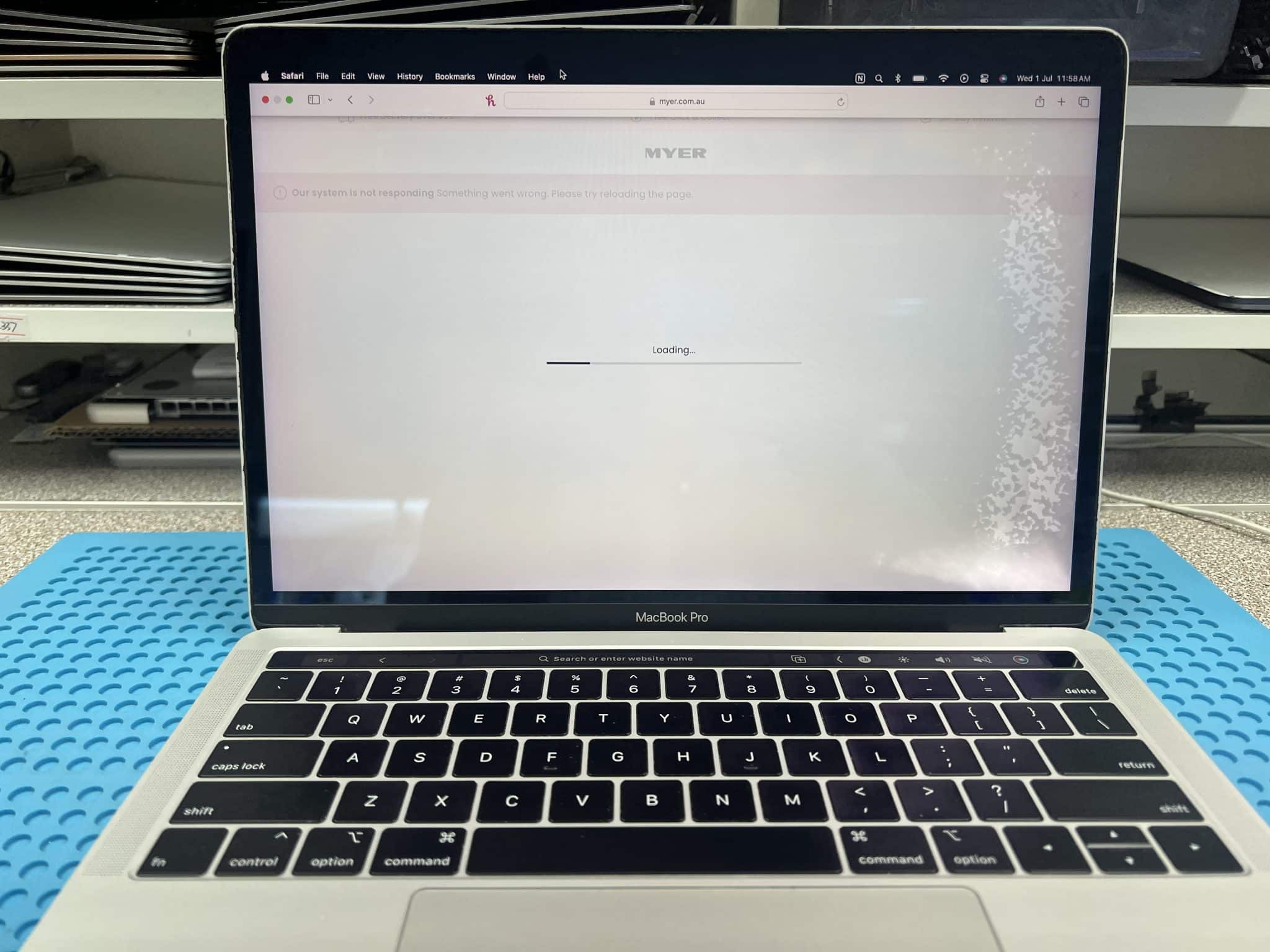
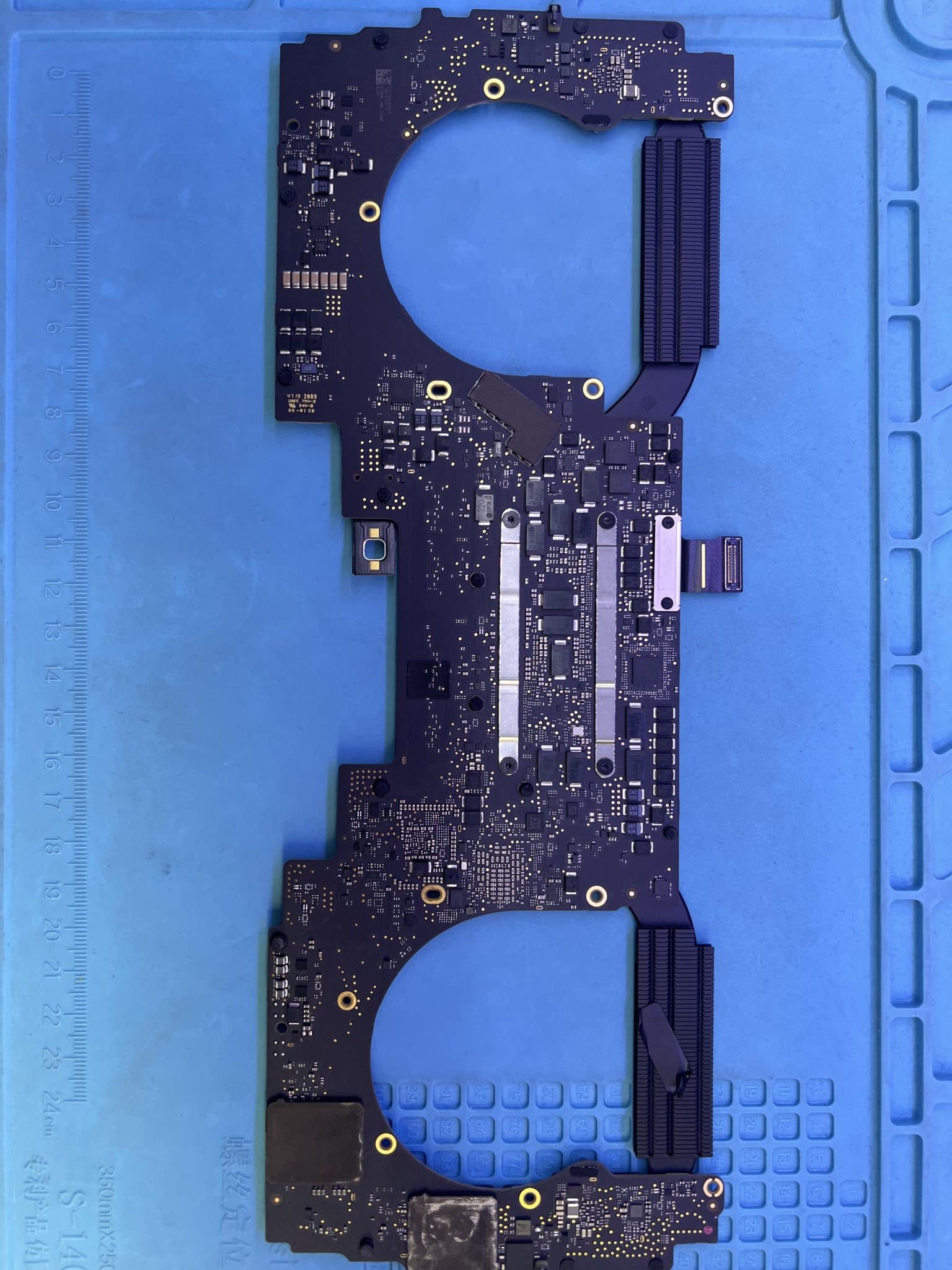
This 13-inch MacBook Pro 2019, model A1989, logic board 820-00850, came from Epping VIC 3076 after a bottle leaked inside a bag.
The customer reported:
Water damage
No power
Data recovery required
Repair the Mac if the cost is not too high
Because this was liquid damage from a leaking bottle inside a bag, we did not power it on first. The risk of applying power to a wet or corroded board was too high, so the first step was ultrasonic cleaning.
Case Summary
| Item | Details |
|---|---|
| Device | 13-inch MacBook Pro 2019 |
| Model | A1989 |
| Logic board | 820-00850 |
| Customer area | Epping VIC 3076 |
| Fault | Bottle leaked in bag, water damage, no power |
| Customer goal | Data recovery first, repair if cost acceptable |
| Initial USB-C test | Too risky before cleaning |
| First repair stage | Ultrasonic cleaning |
| Corroded area | Around UB400 / CD3215 |
| Parts replaced first | 9 corroded resistors and capacitors |
| USB-C behaviour after cleaning | Meter flashes for about 1 second, then no display on all 4 ports |
| Multimeter PPBUS_G3H | 0V |
| Scope PPBUS_G3H | Rises to 8.9V for about 2ms, then drops to 1.2V |
| Scope PPDCIN_G3H | Rises to 5V, then drops to 0V |
| Next checked rail | PP3V3_G3H_RTC at L6900 |
| PP3V3_G3H_RTC | 0V |
| Diode mode | 0.03, shorted |
| Voltage injection | Started at 1V, slowly raised to 2.1V |
| Thermal result | CB300 hot |
| Repair | CB300 removed, short gone, then replaced |
| Final result | MacBook working again, data recovery successful |
Why We Did Ultrasonic Cleaning First
The MacBook had water damage from a bottle leaking inside a bag. This type of damage is risky because liquid can move around while the bag is carried. It can reach the logic board, USB-C area, keyboard, trackpad, screen layers and connectors.
A power-on test before cleaning can make the situation worse. If corrosion or liquid residue is bridging a rail, applying USB-C power can burn pads, damage small ICs, damage NAND-related rails or make data recovery harder.
The correct first step was:
Open the MacBook
Remove the logic board
Ultrasonic clean
Dry properly
Inspect under microscope
Replace visibly corroded components
Then start controlled electrical testing
Initial Repair Around UB400 / CD3215
After cleaning, we found corrosion around the UB400 / CD3215 USB-C controller area. We replaced:
9 corroded resistors and capacitors around UB400 / CD3215After this, the USB-C meter still did not show normal behaviour. On all four ports, the USB-C meter display only flashed briefly for about one second, then went blank.
That meant the board was trying to start but immediately collapsing.
First Measurements
A normal multimeter measurement showed:
PPBUS_G3H = 0VBut this did not tell the full story. Using an oscilloscope, we saw:
PPBUS_G3H rises to about 8.9V for 2ms, then drops to 1.2V
PPDCIN_G3H rises to 5V, then drops to 0V
This is different from a rail that is simply missing. The board was attempting the early power sequence, but something forced the system to shut down almost immediately.
That is why the oscilloscope was important. A multimeter only showed “0V”, but the scope showed that the rail briefly appeared and then collapsed.
Why We Followed the Power-On Sequence
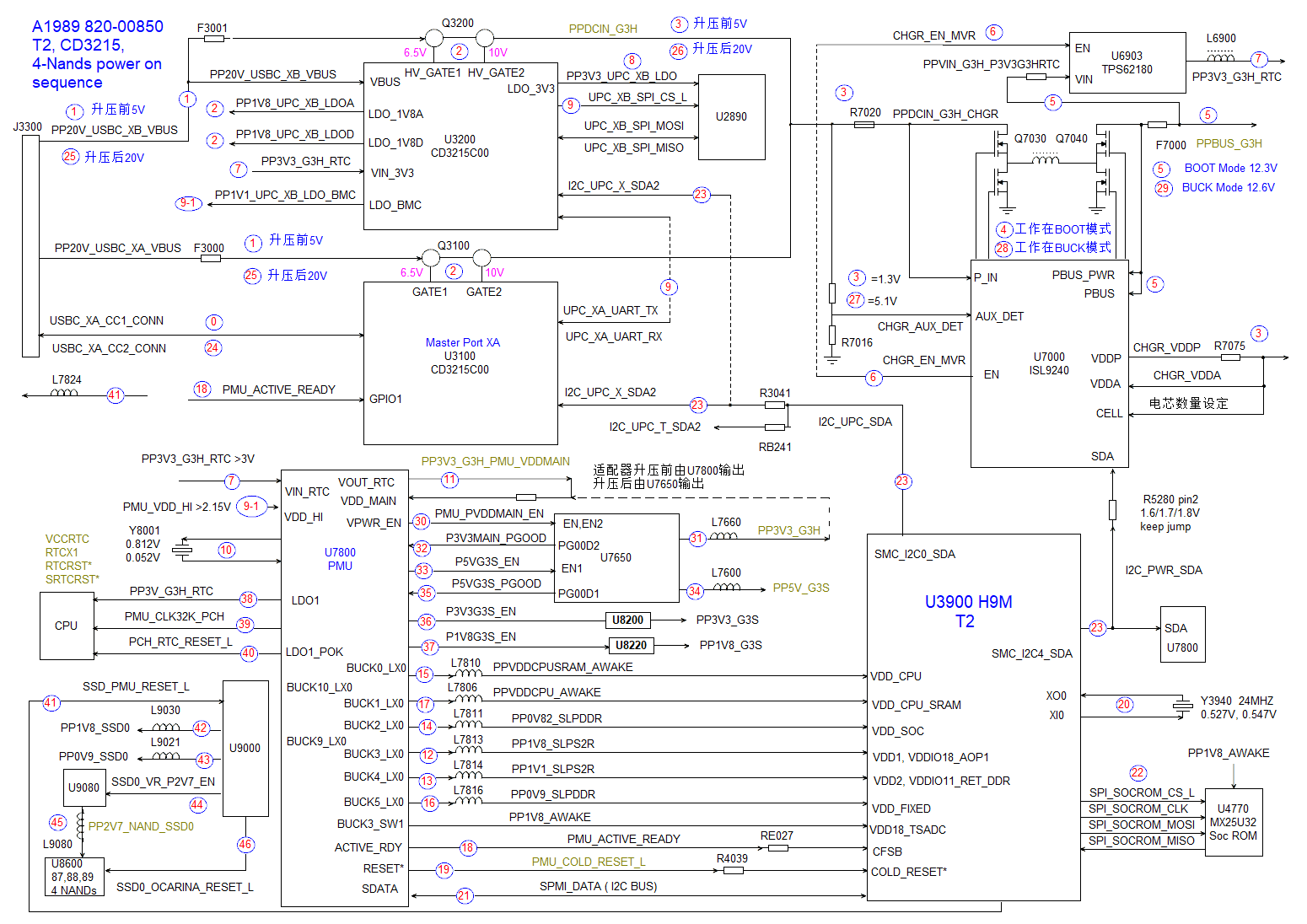
We used the 820-00850 power-on sequence diagram to guide the diagnosis.
The logic was:
USB-C input appears briefly
CD3215 / USB-C stage starts briefly
PPDCIN_G3H rises briefly
PPBUS_G3H rises briefly
Then everything collapses
When PPBUS_G3H and PPDCIN_G3H pulse briefly and then collapse, the next step is to check the early always-on support rails. According to the troubleshooting sequence, PP3V3_G3H_RTC is one of the important early rails.
So the next logical check was:
L6900 / PP3V3_G3H_RTC
PP3V3_G3H_RTC Short Found
At L6900, we measured:
PP3V3_G3H_RTC = 0VThen diode-mode reading was:
0.03That is a heavy short to ground.
This explained the symptom. If PP3V3_G3H_RTC is shorted, the early power logic cannot stay alive. The board may briefly try to start, but the shorted always-on / RTC-related 3.3V rail causes the sequence to collapse.
Voltage Injection and Thermal Camera
Because PP3V3_G3H_RTC is a 3.3V rail, we did not inject high voltage.
The safe method was:
Start at 1V
Slowly raise voltage
Do not exceed the normal rail voltage
Monitor current and heat
Use thermal camera to locate the hot component
At about:
2.1Vthe thermal camera showed:
CB300 hotWe removed CB300, and the short was gone. After replacing CB300 with a good component, the MacBook worked again.
Circuit Logic
The repair logic was:
Bottle leak in bag
↓
Too risky to power on
↓
Ultrasonic clean first
↓
Replace 9 corroded resistors/capacitors around UB400 / CD3215
↓
USB-C meter flashes briefly on all 4 ports
↓
Multimeter: PPBUS_G3H = 0V
↓
Oscilloscope: PPBUS_G3H rises to 8.9V for 2ms, then drops to 1.2V
↓
PPDCIN_G3H rises to 5V, then drops to 0V
↓
Board is trying to start, then shutting down
↓
Follow power-on sequence
↓
Check PP3V3_G3H_RTC at L6900
↓
PP3V3_G3H_RTC = 0V, diode mode = 0.03
↓
Inject voltage carefully, no more than rail voltage
↓
CB300 hot at 2.1V
↓
Remove CB300, short gone
↓
Replace CB300
↓
MacBook works again
Repair Timeline
| Step | Result |
|---|---|
| Customer reported bottle leak in bag, no power | Confirmed |
| Initial USB-C test | Skipped, too risky before cleaning |
| Ultrasonic cleaning | Completed |
| Corroded parts around UB400 / CD3215 | 9 resistors/capacitors replaced |
| USB-C meter after cleaning | Brief flash, then no display on all 4 ports |
| Multimeter PPBUS_G3H | 0V |
| Scope PPBUS_G3H | 8.9V for 2ms, then 1.2V |
| Scope PPDCIN_G3H | 5V briefly, then 0V |
| Followed power-on sequence | Next check: PP3V3_G3H_RTC |
| L6900 / PP3V3_G3H_RTC | 0V |
| Diode mode | 0.03, shorted |
| Voltage injection | 1V slowly raised to 2.1V |
| Thermal camera | CB300 hot |
| Removed CB300 | Short gone |
| Replaced CB300 | MacBook working |
| Final result | Data recovery successful |
Key Lesson
A multimeter alone can be misleading in a fast power-cycling fault.
In this case:
Multimeter: PPBUS_G3H = 0V
Oscilloscope: PPBUS_G3H rises briefly, then collapses
That scope reading changed the diagnosis. The board was not completely dead; it was trying to start and then shutting down.
Following the power-on sequence helped us avoid random parts replacement. Instead of guessing around the USB-C controllers or charger IC, we moved to the next required early rail and found the shorted PP3V3_G3H_RTC rail.
Final Fix
The final repair included:
- ultrasonic cleaning before power-on;
- replacement of 9 corroded resistors and capacitors around UB400 / CD3215;
- oscilloscope testing of PPBUS_G3H and PPDCIN_G3H;
- power-on sequence tracing;
- finding PP3V3_G3H_RTC shorted at L6900;
- controlled voltage injection;
- thermal-camera location of hot CB300;
- CB300 replacement;
- MacBook powered on and data recovery completed.
Final result:
MacBook working again
Customer data recovered
If you are interested in the deeper diagnostic side of Mac repair, we have more real logic board fault cases documented here:
Mac Logic Board Repair Case Studies
Need Board-Level Mac Repair?
MacBook USB-C and CD3215 Repair
We specialise in MacBook logic board repair, USB-C charging faults, CD3215 controller replacement, water damage repair and component-level diagnostics.